
Recording duration
Review session summaries and share the available reports.
Check the current time allowance before recording.Recording duration depends on your app configuration.

Tune your setup. Know your performance.
Monitor game FPS and frame time on Android with Mr. Zero. Keep an overlay on screen, review recorded session charts and test network latency. Monitoring requires an active local ADB connection, without root.
Active local ADB connection required. No root needed. Wireless pairing requires Android 11 or later. Check available recording duration in the app.
01 / READ A RECORDED SESSION
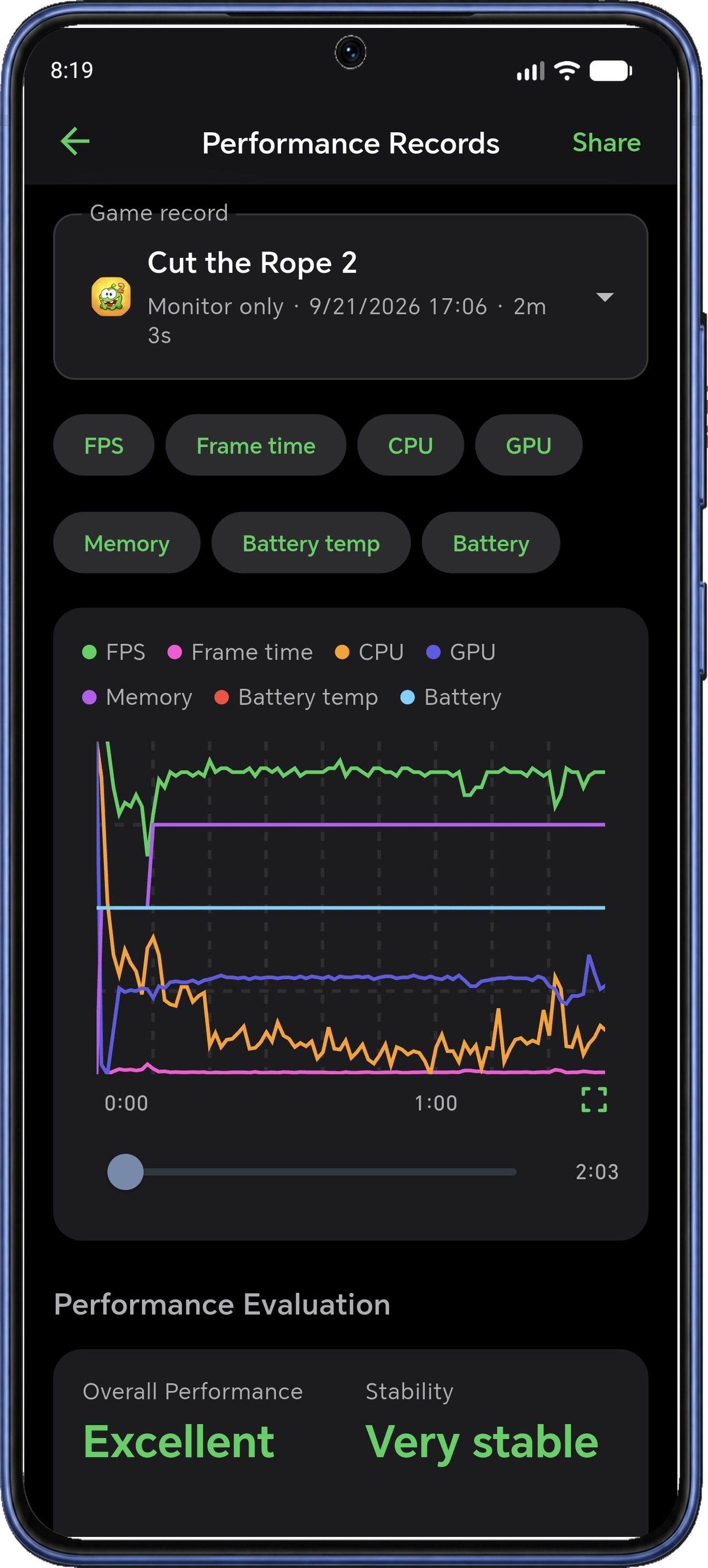
App record. These are results from one session, not a promised performance improvement. Metrics vary by device.
01 / Get ready to play
Apply a Boost Core profile to manage your gaming setup in one place. Choose Balanced or Quality, or customize settings for the way you play.
Close background apps, adjust display refresh rate, control brightness and reduce interruptions with Do Not Disturb. Restore saved settings when you’re done. Available controls depend on your device and plan.
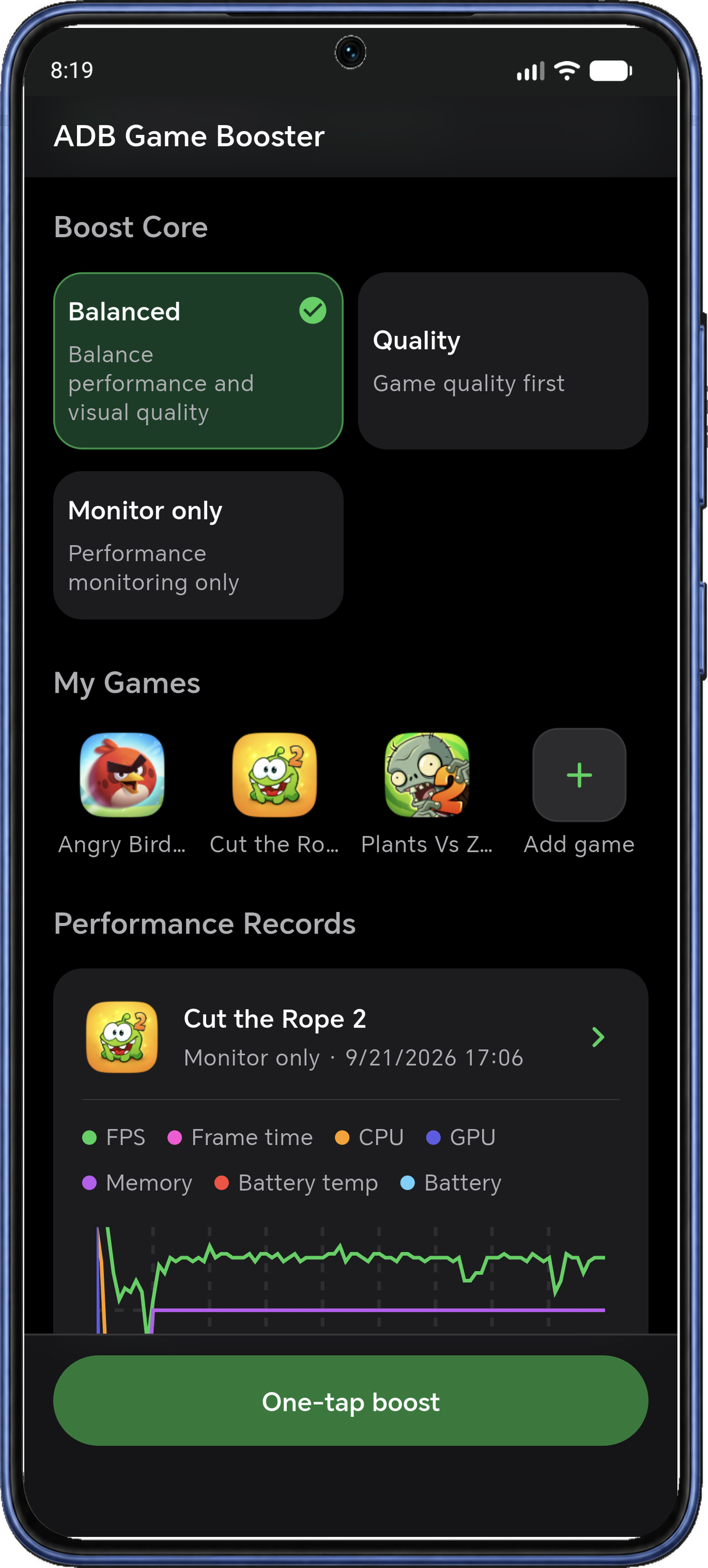
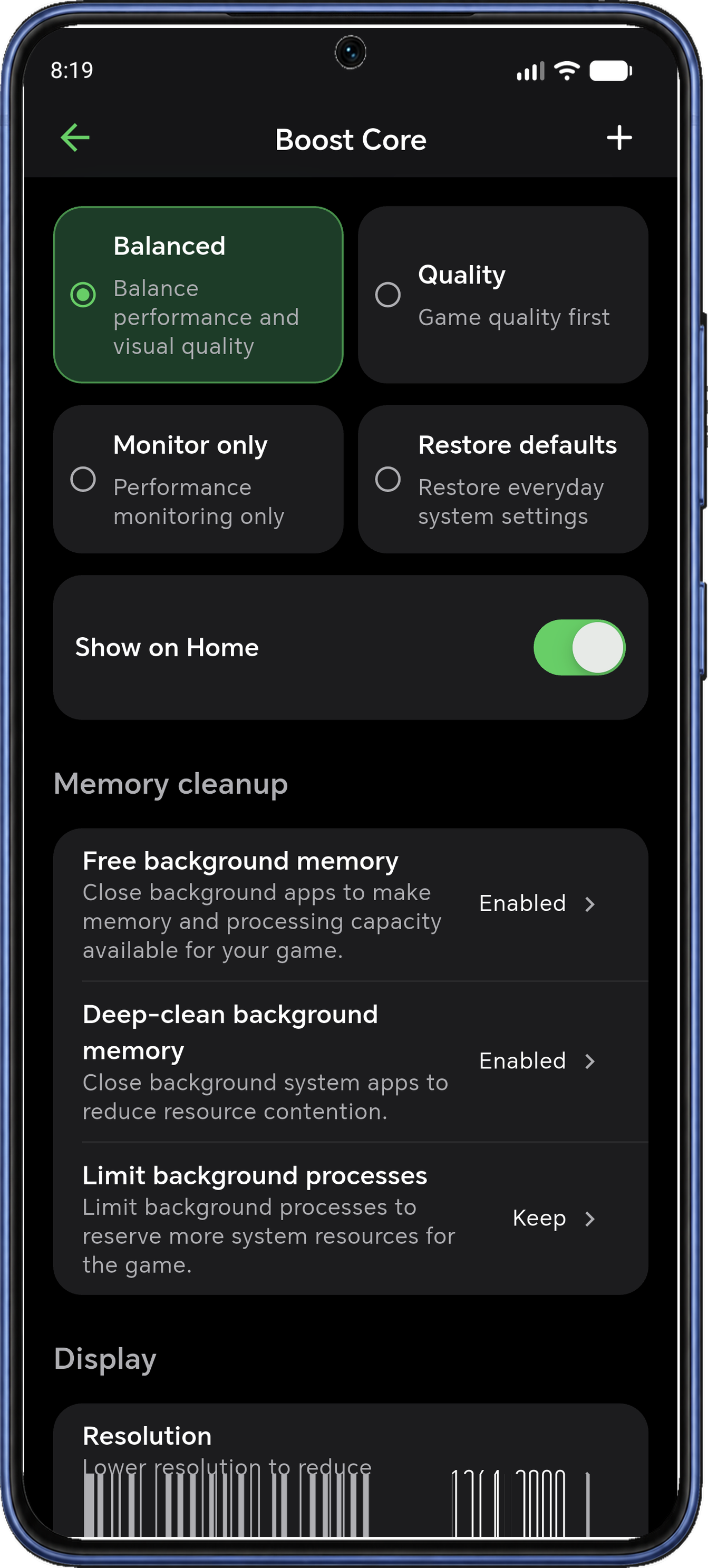
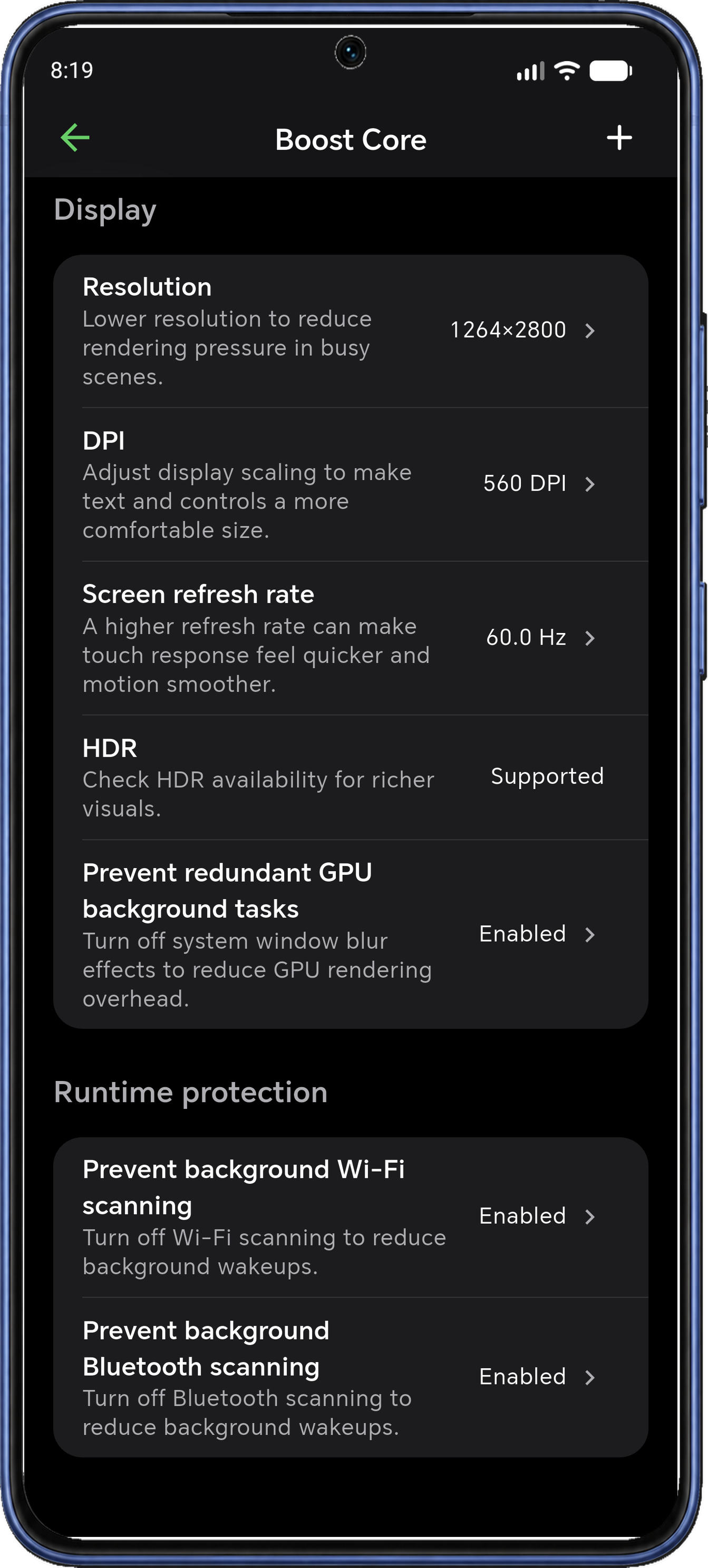
Screenshots show the in-app name ADB Game Booster. Interface, controls and metrics may vary by version and device.
02 / See it as you play
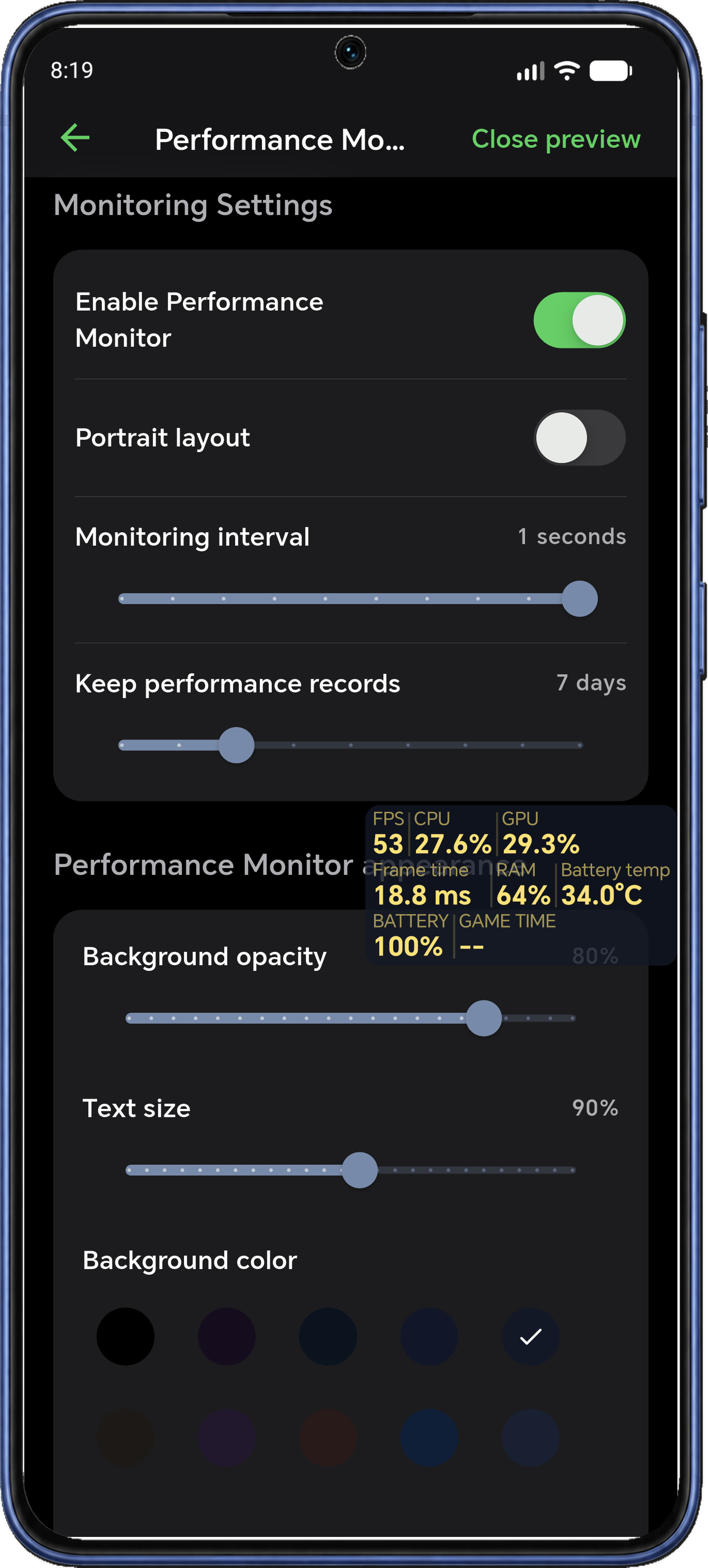
Keep a floating FPS counter on screen and follow frame time, CPU and GPU usage, memory, battery temperature and play time. Spot changes in frame rate and device load without leaving your game.
Choose Monitor Only to track performance with your current settings. GPU overlay display and adjustable sampling intervals depend on device support and the options available in your app configuration.
Check the app’s current recording duration before starting a session. Available metrics vary by device, Android version and game.
03 / Learn from each session
Review performance charts and see how your game ran over time. Check average FPS, frame time, CPU and GPU load, memory usage, peak battery temperature and battery drain.
Turn your performance record into an image report and share your charts, temperature readings and game summary with friends or your gaming community.
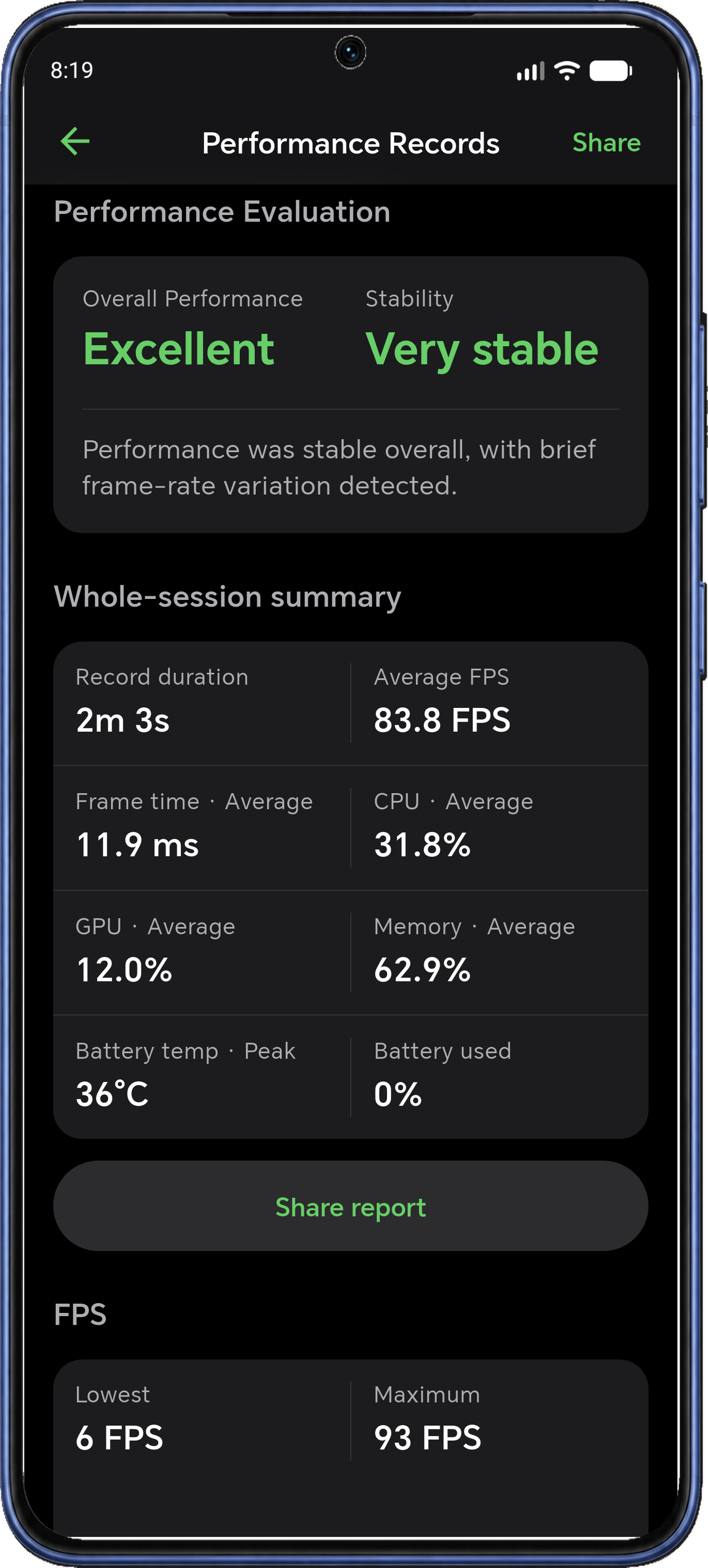
Recording duration and available analysis depend on your app configuration. Check the session settings before recording.
04 / Find your balance
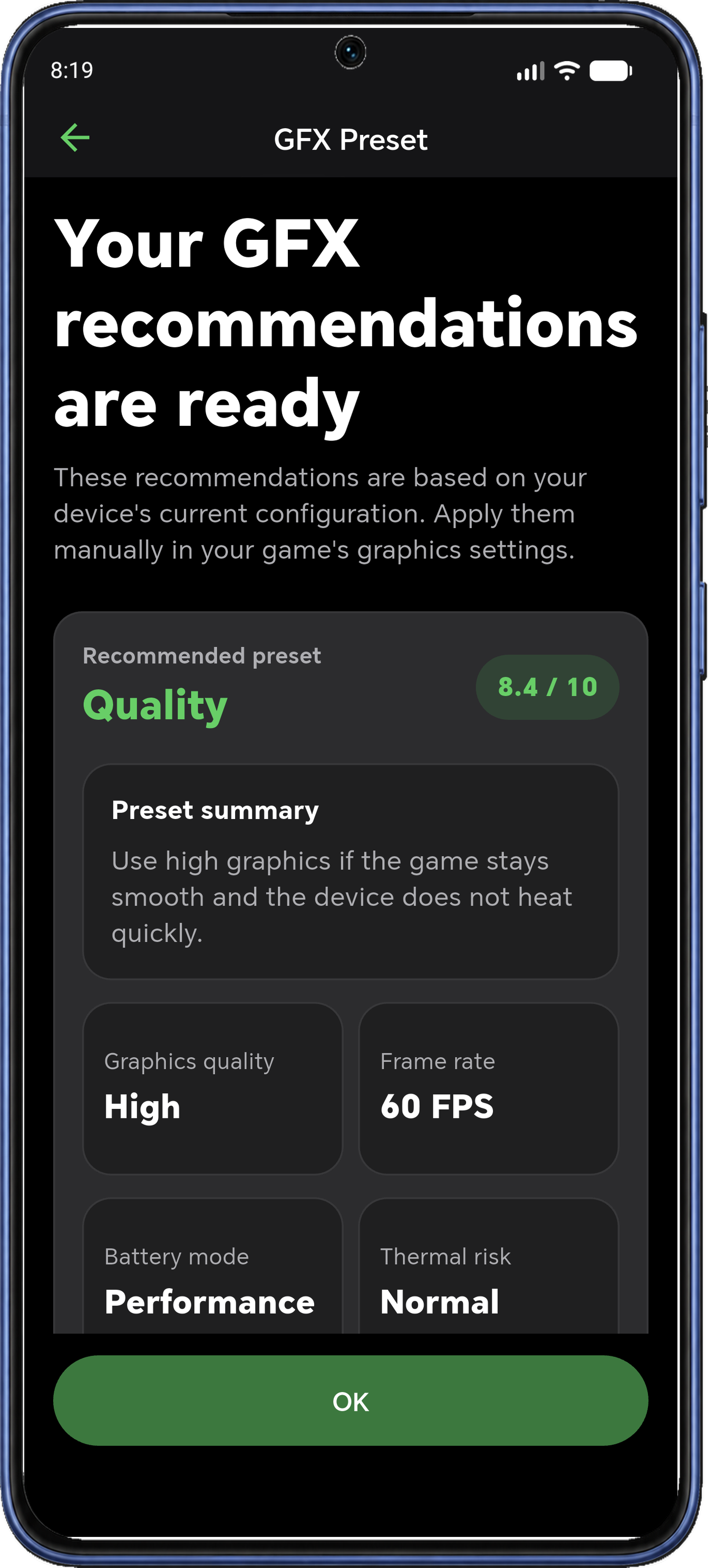
Get device-based GFX recommendations for graphics quality, target frame rate, render scale, shadows, effects and anti-aliasing.
Use these suggestions as a starting point to balance visuals and performance. Apply the changes manually in your game’s settings.
05 / Before the match
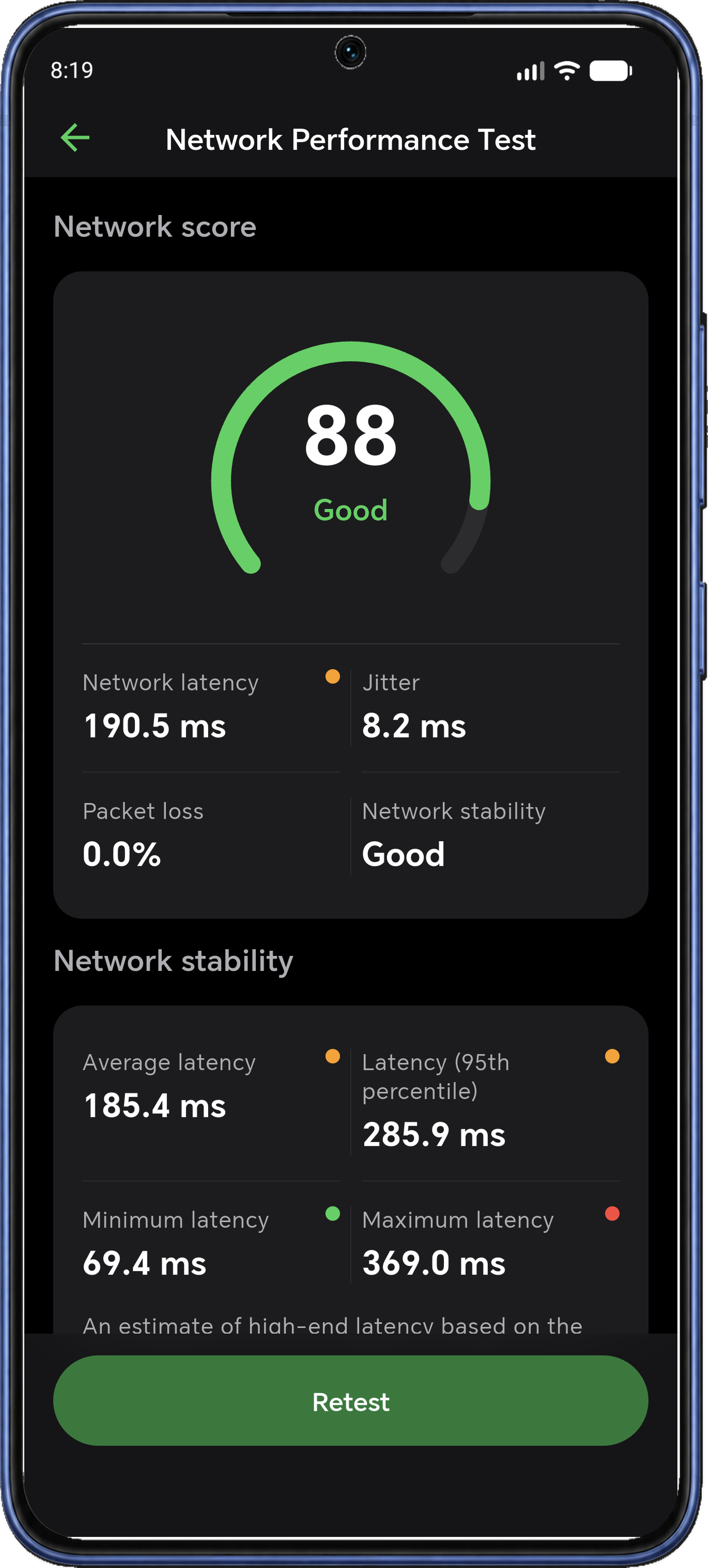
Run a network latency test to check ping, jitter and packet loss. See how consistent your connection is and review minimum, average and maximum latency before you jump into an online game.
Network tests measure connectivity rather than accelerate it.
06 / Setup essentials
Boost controls and performance monitoring require an active local ADB connection. No root is required.
Wireless pairing requires Android 11 or later, Wi-Fi and Wireless debugging in Developer options. Available controls and metrics vary by device, Android version and game.
07 / Monitoring conditions
Review session summaries and share the available reports.
Check the current time allowance before recording.Recording duration depends on your app configuration.
Available controls, including resolution and DPI, depend on your device, active ADB connection and app configuration.
GPU overlay display and adjustable sampling intervals vary with device support and the options shown in the app.
Before you get started
No root is required. Boost controls and performance monitoring require an active local ADB connection. Wireless pairing requires Android 11 or later, Wi-Fi and Wireless debugging in Developer options. Follow the connection steps in the app before using these features.
Available controls and metrics vary by device, Android version and game. The app helps you adjust supported settings and understand measured performance; it does not guarantee a particular frame rate.
Yes. Choose Monitor Only to track performance with your current settings. An active local ADB connection is still required for performance monitoring.
GFX recommendations are suggestions based on your device. Use them as a starting point and apply adjustments manually in your game’s graphics settings.
The network test measures ping, jitter and packet loss, including minimum, average and maximum latency. It helps you check connection consistency before a match; it does not accelerate your connection.
Review available FPS, frame-time and device-load charts alongside the session summary. Metrics vary by phone and game; recording duration and available charts depend on your app configuration. Check the current session settings before recording.

Active local ADB required. Wireless pairing needs Android 11+. Metrics, recording duration and controls depend on device and app configuration.